








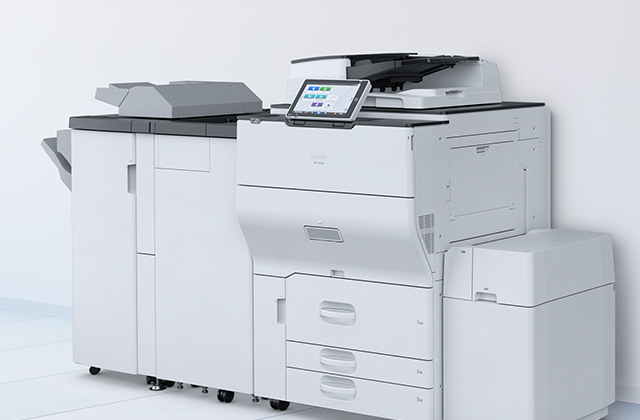










InfoPrint Manager
InfoPrint® Manager for AIX® and InfoPrint® Manager for Windows® can help unify your output infrastructure for maximum efficiency. They combine powerful industry-standard Advanced Function Presentation™ (AFP™) architecture, comprehensive data stream transforms and extensive output management capabilities into a single solution. With this solution, you can achieve centralised management of both production and distributed print environments. Print jobs from a variety of sources can be transformed, printed, faxed or e-mailed.
Highlights
- Centralises output management with automated job, queue and printer control Includes a Web-based graphical user interface (GUI) for effective, flexible data visualisation and ease of use for operators
- Scales in capacity and price on either AIX® or Windows® servers
- Supports multiple data streams and device types
- Provides an optional Pull Print feature that can increase paper savings, security and flexibility
- Print non-AFP™ workloads on reliable, high-speed or distributed AFP printers using built-in data stream transforms
- Furnishes extensive message, error and accounting logs to help you diagnose problems and provides audit tracking and accounting information for chargeback purposes
- Offers optional, related software programs that let you seamlessly migrate from Xerox LPS/Metacode applications to AFP, or convert AFP output into PDF output, which you can send as e-mail attachments
- Features & benefits
-
Centralised management
Simplify operations and lower total cost of ownership by managing and monitoring output systems through a Web-based GUI that allows operators to easily view and manage printers, queues and jobs remotely from a browser anywhere in the network. The Web view can be customised for each operator’s preferences. Users can start, stop, delete or move print jobs, or start, stop, back-space, forward-space or shut down printers.User and operator notification
Improve productivity by delivering information about events occurring with print jobs or printers to users via e-mail, on-screen notifications or wireless devices. Customise the notification profiles for your jobs and printers so the appropriate people get the message and can respond quickly.Intelligent document routing and scheduling
Increase the efficiency of operations by matching each print job to the right printer to help maximise productivity and reduce the cost of reprints. Jobs can be scheduled to destinations based on their size, resolution, printer model or media type. Jobs can be queued automatically to destinations that support their requirements, such as duplexing or other document formats.Flexible configuration options
Leverage existing investments by setting up your print infrastructure to balance workloads across multiple printers. Streamlining overall printing and reducing job interruptions can improve the utilization rates of your printers—helping to lower your total cost of ownership. InfoPrint® Manager’s configuration options allow you to:- Cluster printers
- Easily reroute jobs while replacing supplies or performing preventive maintenance
- Hold jobs that fail and automatically disable printers with problems
- Transform data and print concurrently
- Save processed files for efficient reprinting or for printing multiple copies
- Retry jobs automatically upon network failures
- Support multiple input and output data streams
- Send and receive faxes
- Receive jobs from multiple locations and send them to a variety of locations and/or devices.
Varied job submission methods
Increase flexibility and scalability through the ability to receive jobs from multiple sources, including the Microsoft® Windows® desktop, Linux and UNIX servers and mainframe systems via the Download or Download Plus features of PSF for IBM z/OS®. Share printers between host and workstation applications to maximize productivity and leverage existing investments. Associate your existing fax solution with InfoPrint® Manager and send faxes using familiar job submission methods.Datastream transforms support
Manage output at the enterprise level to optimise efficiency without changing existing applications, data streams or print commands. InfoPrint® Manager includes data stream transforms that allow you to accept jobs from different applications and route them to the appropriate print devices, including InfoPrint® and other vendors’ printers. The SAP print feature allows you to extend output management in an enterprise resource planning (ERP) environment by submitting SAP ABAP and OTF data to be transformed to AFP™ format and printed. Optional transforms let you convert legacy Xerox LPS/Metacode data into AFP, or convert AFP into PDF, which can be sent as e-mail, stored in an archive or presented on the Web.Pull Print
Increase paper savings, security and flexibility:- Pull Print causes authenticated jobs sent to InfoPrint Manager to be held in the print server until users request them to be released by re-authentication at the printer. Since these jobs are printed while users wait at the printer, they can be configured to print without banner pages to save paper. Uncollected jobs are deleted after a configurable retention period. Jobs are recorded for accurate chargeback purposes.
Web-based GUI
Simplify use and increase control with rich data visualisation for managing and interpreting data on the screen:- Display multiple pods, or frames of information, move them around and size them.
- Select certain columns of data to display and sort and filter them as needed.
- Define personal settings, which you can save.
- Search queues, destinations and jobs on multiple InfoPrint® Manager servers.
- Specifications
-
Minimum hardware requirements:
Depending upon required capacity for printers and print workloads, an AIX or Windows Server® capable of running any of the operating systems listed below.Software requirements:
- InfoPrint Manager for AIX requires AIX Version 5.3, 6.1 or 7.1.
- InfoPrint Manager for Windows requires Microsoft® Windows Server 2008 Standard Edition, Windows Vista® Business and Enterprise Editions, Windows 7, Windows Server 2003 Standard Edition and R2 Standard Edition, Windows XP Professional, or Windows 2000 Professional or Windows 2000 Server.
- The Web GUI is supported on Internet Explorer 6.1 or higher, or Mozilla Firefox.
Submission methods:
- pdpr command line
- InfoPrint® Submit Express
- InfoPrint Select
- InfoPrint Job Ticketer
- lp, lpr, AIX enq and qprt
- Hotfolders
- SAP applications
- AFP™ Download Plus from Print Services Facility for z/OS® AFP Download from Print Services Facility for z/OS
Related software & apps
-

InfoPrint Font Collection
The InfoPrint® Font Collection consists of character sets and Advanced Function Presentation™ code pages that let you print standard using familiar typefaces.
-

InfoPrint PPFA
Save the time and expense of making programme changes to enhance formatting of output intended for printing on AFP™ and PDS™ printers.